
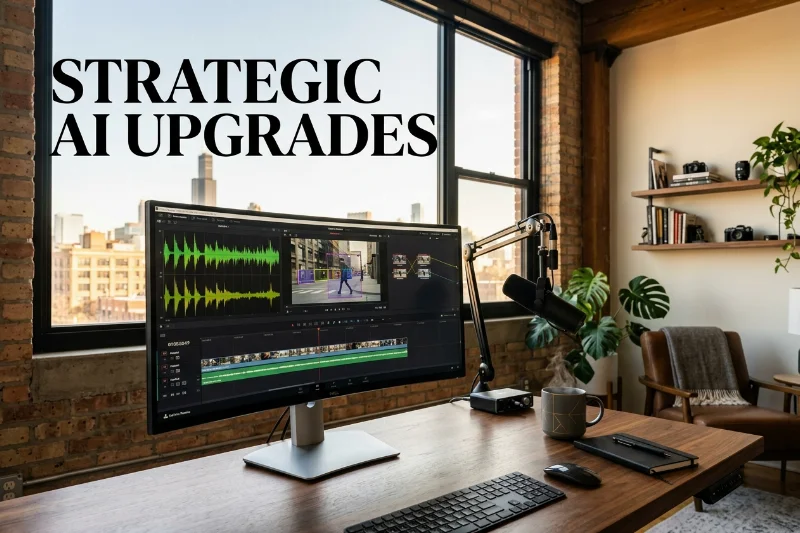
Listen, darlings, if you are still manually scrubbing through hours of raw footage like it’s 2015, we need to have a serious heart-to-heart. The creator economy moves at the speed of light, and if you’re not leveraging AI to reclaim your time, you’re essentially leaving your competitive edge in the trash. The era of ‘suffering for your art’ by spending forty hours on a three-minute reel is officially over, and frankly, it’s about time we made room for more strategy and a lot more style.
As someone who has navigated the pivot from traditional marketing to building a multi-platform media empire, I can tell you that the biggest bottleneck is always post-production. It’s the unglamorous, caffeinated slog that separates a viral hit from a draft that never sees the light of day. But lately, the tools we use have evolved from basic software into actual creative partners, thanks to some seriously sophisticated AI integration.
The Game Changers: How Descript and DaVinci Resolve are Flipping the Script
Let’s start with Descript, which is essentially the personality hire of the editing world—it’s smart, intuitive, and makes everyone around it look better. Descript didn’t just add a few AI features; it fundamentally reimagined what editing looks like by treating video like a text document. For someone like me who lives for a punchy script, being able to edit my video by literally hitting ‘backspace’ on a transcript is nothing short of a miracle.
Their AI-driven transcriptions have reached a level of accuracy that feels almost psychic. Gone are the days of deciphering garbled text; now, we have a clean, searchable document that serves as the blueprint for our entire project. It’s about working smarter, not harder, and Descript is the ultimate shortcut for anyone who values their sanity as much as their aesthetic.
Then there’s the ‘Overdub’ feature, which is pure wizardry. Imagine realizing you misspoke during a crucial segment of your podcast or video. Instead of re-recording and trying to recreate that perfect golden-hour lighting, you simply type the correction, and the AI generates your voice to match the original audio. It’s high-tech, slightly provocative, and absolutely indispensable for the busy entrepreneur.
Why Descript is the Lazy Genius’s Best Friend
One of my favorite features—and something my audience asks about constantly—is the filler word removal. We all have our verbal crutches, whether it’s ‘um,’ ‘uh,’ or my personal favorite, ‘like.’ With one click, Descript’s AI identifies and deletes these distractions, instantly making you sound like the polished professional you are, without the need for a million tiny cuts.
It also features ‘Studio Sound,’ which uses AI to transform a mediocre recording into something that sounds like it was tracked in a high-end studio. Whether you’re recording in a sun-drenched loft in Chicago or a noisy hotel room, the AI isolates your voice and kills the background noise, ensuring your message is heard loud and clear.
Enter the Heavyweight: DaVinci Resolve’s Neural Engine
Now, if Descript is the intuitive genius, DaVinci Resolve is the powerhouse veteran that just got a massive tech upgrade. Known for years as the industry standard for color grading, Blackmagic Design has integrated the ‘DaVinci Neural Engine’ to handle the heavy lifting that used to require a dedicated team of assistants. It’s professional-grade power, now accessible to anyone with a vision.
The AI capabilities here are all about precision. Take the ‘Magic Mask’ feature, for example. In the old days, masking a moving subject involved tedious frame-by-frame adjustments. Now, you simply stroke across the person or object you want to isolate, and the AI tracks them through the entire shot with frightening accuracy. It’s ‘no-nonsense but make it fashion’ in a digital format.
This allows for localized adjustments—like brightening a subject’s face or changing the color of a specific element—without affecting the rest of the frame. It’s this level of detail that separates the amateurs from the veterans. When you can apply professional-level effects in a fraction of the time, you have more bandwidth to focus on the actual storytelling.
Professional Polish Without the PhD in Engineering
DaVinci’s AI audio isolation is another total game-changer. It’s specifically designed to separate human speech from complex background noise, like wind or traffic. For creators who thrive on ‘on-the-go’ content, this means you can capture high-value insights anywhere without worrying about the sound quality being a dealbreaker for your audience.
And let’s talk about the ‘Smart Reframe.’ As someone who publishes across TikTok, Instagram, and YouTube, I know the struggle of resizing content. DaVinci’s AI automatically identifies the action in your shot and keeps it centered while you switch from landscape to vertical. It’s a small detail that saves hours of manual keyframing, allowing you to dominate every platform simultaneously.
The Strategy: How to Use AI Without Losing Your Soul
Here is the real talk: AI is a tool, not a replacement for your unique voice. The goal of using these features in Descript or DaVinci Resolve isn’t to become a robot; it’s to clear away the technical debris so your authenticity can shine through. People follow you for your insight and your vibe, not for your ability to manually sync audio tracks.
The smartest play you can make right now is to lean into the automation for the ‘boring’ parts. Let the AI handle the transcription, the noise reduction, and the basic tracking. This frees up your creative energy to focus on the ‘hook,’ the narrative arc, and the strategic calls to action that actually grow your empire. It’s about maintaining that high-level clarity while moving at the speed of culture.
Don’t be intimidated by the learning curve, either. Both of these platforms have made their AI tools remarkably user-friendly. You don’t need a degree in data science; you just need the curiosity to click a few buttons and see what happens. Think of it as an investment in your future self—the version of you that isn’t stressed out by a backlog of unedited footage.
At the end of the day, the creator economy rewards those who can balance high-quality output with consistent volume. By embracing the AI capabilities in tools like Descript and DaVinci Resolve, you are essentially hiring a digital assistant that never sleeps and never misses a deadline. So, are you ready to stop editing like a mortal and start creating like a mogul? The tools are ready when you are.